Introduction
Form validation is a critical component of web applications that ensures users provide correct and complete information before submitting data to your server. Proper validation improves data quality, enhances user experience by providing immediate feedback, and protects your application from malicious or malformed input. Without validation, your application may receive incomplete data, incorrectly formatted information, or even malicious content that could compromise security.
This tutorial covers both client-side validation techniques using HTML5 attributes and custom JavaScript logic. By implementing validation correctly, you can guide users toward providing the right information while maintaining a smooth and frustration-free experience. Understanding these techniques is essential for any web developer building forms that collect user data.
Who This Guide Is For
This guide is designed for web developers who understand basic HTML form elements and have foundational JavaScript knowledge. If you have created simple forms and are familiar with event handling in JavaScript, you are ready to follow this tutorial. The content is particularly valuable for developers building registration forms, contact forms, checkout processes, or any interface that collects user input.
Whether you are creating a personal project or developing professional web applications, the validation techniques covered here will help you ensure data integrity and provide users with clear feedback about their input.
Prerequisites
Before starting this tutorial, you should have:
- Understanding of HTML form elements including input, textarea, and select
- Basic knowledge of HTML5 input types and attributes
- Familiarity with JavaScript event listeners and DOM manipulation
- Understanding of regular expressions for pattern matching
- A code editor and web browser for testing your forms
Step-by-Step Instructions
Step 1: Use HTML5 Validation Attributes
HTML5 provides built-in validation attributes that browsers can automatically enforce without any JavaScript. Start by leveraging these attributes as your first line of validation.
<form id="registration-form" novalidate>
    <div class="form-group">
        <label for="username">Username</label>
        <input
            type="text"
            id="username"
            name="username"
            required
            minlength="3"
            maxlength="20"
            pattern="[A-Za-z0-9]+">
        <span class="error-message"></span>
    </div>

    <div class="form-group">
        <label for="email">Email Address</label>
        <input
            type="email"
            id="email"
            name="email"
            required>
        <span class="error-message"></span>
    </div>

    <button type="submit">Register</button>
</form>
The novalidate attribute on the form element disables default browser validation, allowing
you to implement custom validation with better error messages and styling. The required
attribute ensures fields are not empty, while minlength and maxlength control
text length. The pattern attribute uses regular expressions to enforce specific formats.
Step 2: Create Validation Functions
Write JavaScript functions that validate individual fields based on your specific requirements. These functions should check input values and return validation results.
function validateUsername(username) {
    if (username.length < 3) {
        return { valid: false, message: 'Username must be at least 3 characters long' };
    }
    if (username.length > 20) {
        return { valid: false, message: 'Username cannot exceed 20 characters' };
    }
    if (!/^[A-Za-z0-9]+$/.test(username)) {
        return { valid: false, message: 'Username can only contain letters and numbers' };
    }
    return { valid: true, message: '' };
}

function validateEmail(email) {
    const emailPattern = /^[^\s@]+@[^\s@]+\.[^\s@]+$/;
    if (!emailPattern.test(email)) {
        return { valid: false, message: 'Please enter a valid email address' };
    }
    return { valid: true, message: '' };
}

function validatePassword(password) {
    if (password.length < 8) {
        return { valid: false, message: 'Password must be at least 8 characters long' };
    }
    if (!/[A-Z]/.test(password)) {
        return { valid: false, message: 'Password must contain at least one uppercase letter' };
    }
    if (!/[a-z]/.test(password)) {
        return { valid: false, message: 'Password must contain at least one lowercase letter' };
    }
    if (!/[0-9]/.test(password)) {
        return { valid: false, message: 'Password must contain at least one number' };
    }
    return { valid: true, message: '' };
}
Step 3: Display Error Messages
Create a function that displays validation error messages next to the relevant form fields. Clear visual feedback helps users understand what needs to be corrected.
function showError(input, message) {
    const formGroup = input.parentElement;
    const errorDisplay = formGroup.querySelector('.error-message');

    errorDisplay.textContent = message;
    formGroup.classList.add('error');
    formGroup.classList.remove('success');
}

function showSuccess(input) {
    const formGroup = input.parentElement;
    const errorDisplay = formGroup.querySelector('.error-message');

    errorDisplay.textContent = '';
    formGroup.classList.add('success');
    formGroup.classList.remove('error');
}
Step 4: Validate on User Input
Implement real-time validation that checks input as users type or when they move to the next field. This immediate feedback helps users correct errors quickly.
document.addEventListener('DOMContentLoaded', function() {
    const form = document.getElementById('registration-form');
    const usernameInput = document.getElementById('username');
    const emailInput = document.getElementById('email');
    const passwordInput = document.getElementById('password');

    usernameInput.addEventListener('blur', function() {
        const result = validateUsername(this.value);
        if (result.valid) {
            showSuccess(this);
        } else {
            showError(this, result.message);
        }
    });

    emailInput.addEventListener('blur', function() {
        const result = validateEmail(this.value);
        if (result.valid) {
            showSuccess(this);
        } else {
            showError(this, result.message);
        }
    });

    passwordInput.addEventListener('blur', function() {
        const result = validatePassword(this.value);
        if (result.valid) {
            showSuccess(this);
        } else {
            showError(this, result.message);
        }
    });
});
Step 5: Validate on Form Submission
Add a final validation check when the form is submitted to ensure all fields are valid before allowing the form to be sent to the server.
form.addEventListener('submit', function(e) {
    e.preventDefault();

    const usernameResult = validateUsername(usernameInput.value);
    const emailResult = validateEmail(emailInput.value);
    const passwordResult = validatePassword(passwordInput.value);

    let isValid = true;

    if (!usernameResult.valid) {
        showError(usernameInput, usernameResult.message);
        isValid = false;
    }

    if (!emailResult.valid) {
        showError(emailInput, emailResult.message);
        isValid = false;
    }

    if (!passwordResult.valid) {
        showError(passwordInput, passwordResult.message);
        isValid = false;
    }

    if (isValid) {
        console.log('Form is valid, submitting...');
        this.submit();
    }
});
Common Mistakes and How to Avoid Them
Relying Only on Client-Side Validation
One of the most critical mistakes is trusting client-side validation alone. Users can disable JavaScript or manipulate form data before it reaches your server. Always implement server-side validation as well. Client-side validation enhances user experience, but server-side validation protects your application and data integrity.
Providing Vague Error Messages
Error messages like "Invalid input" frustrate users because they do not explain what is wrong or how to fix it. Be specific about what the problem is and how users can correct it. Instead of "Invalid email," use "Please enter a valid email address in the format: [email protected]."
Validating Too Late or Too Early
Validating while users are still typing can be annoying, but waiting until form submission means users must correct multiple errors at once. The best approach is to validate when a field loses focus, giving users immediate feedback without interrupting their typing flow.
Not Handling Edge Cases
Common edge cases include spaces at the beginning or end of input, special characters in unexpected places, and international characters in names. Test your validation with unusual but legitimate input to ensure it handles edge cases appropriately without being overly restrictive.
Practical Example or Use Case
Consider a user registration form for an online learning platform. The form collects a username, email address, password, and confirmation password. Implementing proper validation ensures that usernames are unique and appropriately formatted, email addresses are valid for sending course notifications, and passwords meet security requirements.
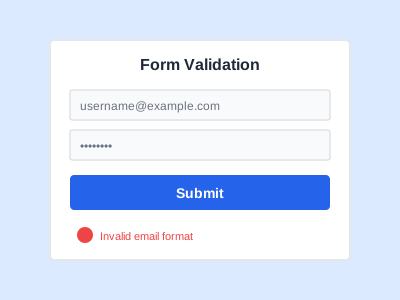
Real-time validation helps new users create accounts successfully on their first attempt. When a user enters a username that is too short, they immediately see a message explaining the minimum length requirement. If they enter an invalid email format, the system prompts them to correct it before moving to the next field. When creating a password, they receive feedback about whether it meets complexity requirements, including uppercase letters, lowercase letters, and numbers.
This validation approach reduces frustration and support requests while ensuring the platform collects accurate information needed for account management and communication. Users appreciate the clear guidance and can complete registration quickly without repeatedly submitting the form only to encounter errors.
Summary
Implementing effective form validation requires combining HTML5 attributes for basic constraints with custom JavaScript for complex business logic and user-friendly error messages. Start with built-in HTML5 validation attributes, then layer on JavaScript validation for more sophisticated requirements.
Remember to validate both when fields lose focus and when the form is submitted. Provide clear, specific error messages that help users understand what they need to fix. Always complement client-side validation with server-side validation to ensure data integrity and security.
Form validation is not just about preventing errors but about creating a helpful, guided experience that respects users' time and helps them provide the information your application needs. As you build more complex forms, these foundational validation techniques will serve as the basis for more sophisticated validation scenarios.